Maximum IT security through innovative software solutions on the MFP
Your company data is the most valuable thing you have to protect. Security starts with the software. From encrypted data transmission to secure authentication, your systems are safe with us. UTAX offers customized software security solutions to protect your systems from cyberattacks.
Digital data processing is advancing in the modern working world. Security is a crucial factor here and depends on the optimal interaction of all available components. The software used on multifunction printers (MFPs) is a central point of contact that must be protected against unauthorized access to company data. The software must meet the highest security requirements in order to reliably protect the data on the MFP throughout its entire life cycle.
Security comes first – right from the start. At UTAX, the focus is on the customer, and our entire attention is devoted to protecting your sensitive data. With our many years of experience and expertise in securing software solutions, we guarantee the effective protection of your digital systems. This is also demonstrated by the fact that our solutions already meet many of the requirements of the NIS 2 Directive. Whether it's data transmission, user management, or authentication, we ensure that your IT security is guaranteed at all times. And you can concentrate fully on your core business. We offer you security you can rely on – that's a promise!
UTAX offers comprehensive security solutions that use the latest technologies and security features to provide optimal protection for your data throughout its entire lifecycle. Particularly important: our security features already enable you to comply with key requirements of the NIS 2 Directive, which is expected to come into force in 2025 and will require tens of thousands of companies to maintain a high level of IT security.
Our security features include:
- Follow&Print: Intelligent redirection of print jobs to ensure that they remain securely in the queue and can only be released by authorized users. This prevents print jobs from being left unattended in the output tray.
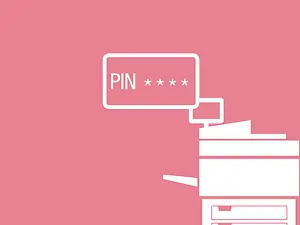
- SecurePrinting: Flexible login thanks to the integration of various authentication methods, such as PIN or card systems or username and password
- Support for common network encryption: Ensuring smooth data transmission throughout the network using SSL and TLS3.1
- Password-protected print jobs: Print jobs are only released after authentication to protect sensitive data.
- Security Quick Setup: By selecting from three different preset security policies, security settings can be configured in a single step.
- Automatic updates: Regular and automatic updates for software and firmware ensure that systems are always up to date.
- Security watermarks: Automatic identification of unauthorized copies through embedded watermarks
- IEEE 802.1X authentication: Access control recognizes authorized users and devices to protect your network.
- SSL encryption: Encryption of the print data stream and the transmission path to ensure security when reading data